


Google Veo 3.1 AI Video Generator
Veo 3.1 is documented by Google as a video-generation model, and Readkidz currently routes its Google Veo option to the `veo-3.1-generate-preview` identifier. Start with one continuous shot, choose 720p or 1080p and a 16:9 or 9:16 frame, then review the live per-second charge. Reference images and 1080p currently require an 8-second output. Readkidz is an independent platform, not an official Google product.
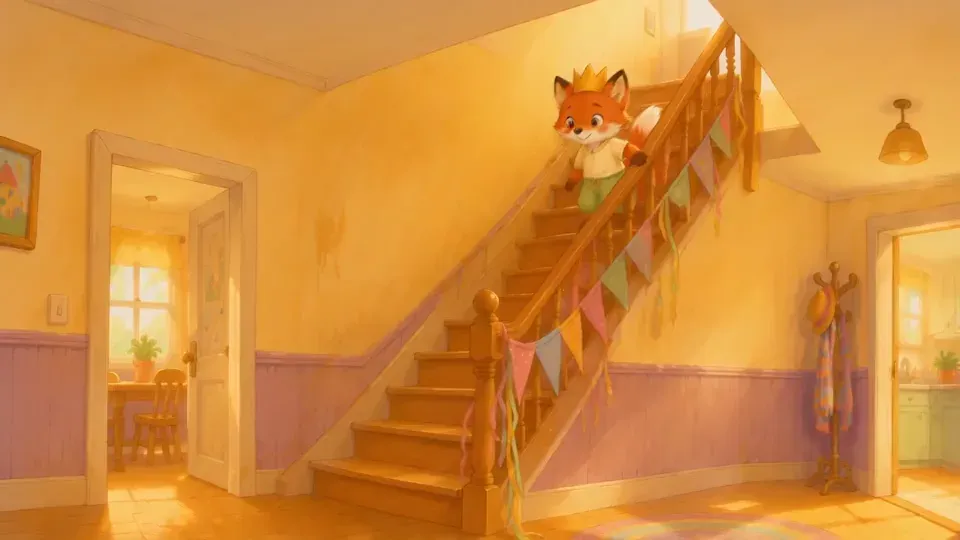

Finished stories on Readkidz
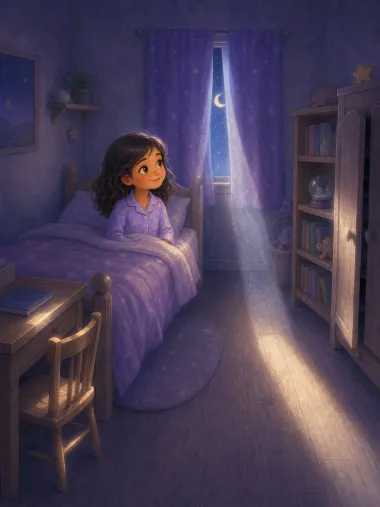
A video needs a story before it needs a model. Noah and the Great Ark runs 16 pages for ages 3-7, The Moon Kept One Little Light is 10 pages, and Pip, the Littlest Star is 8 — all three readable end to end, free. Browse all storybooks →


How it works
- 1Open the Veo route directly
Submit the composer on this page to enter Readkidz Quick Create with `mode=freestyle` and `model=veo` carried through sign-in. The handoff keeps your idea and avoids reselecting the model from the broader catalog.
- 2Write one observable shot
Describe the subject, one main action, the camera direction, composition, lighting, and continuity. A compact brief is easier to evaluate than a list of unrelated scene changes, especially for the first test.
- 3Check the forced settings and charge
Choose ratio, duration, and resolution, then review the confirmation card. The charge is the configured resolution rate multiplied by output seconds. If you add a reference image or select 1080p, confirm the required 8-second duration before submitting.
Choose a Google Veo 3.1 test with the real Readkidz controls
- Exact Readkidz route
- Google Veo, currently sent to the `veo-3.1-generate-preview` gateway model
- Good first test
- One subject, one main action, one camera direction, and one continuous shot
- Duration controls
- 4, 6, or 8 seconds; adding a reference image or choosing 1080p currently fixes the output at 8 seconds
- Aspect ratios
- 16:9 landscape or 9:16 portrait
- Resolution pricing
- 720p: 120 credits/sec; 1080p: 150 credits/sec
- Reference-image budget
- Use three or fewer authorized reference images; any reference-image request currently uses an 8-second output
- Provider versus local controls
- Google documents capabilities such as 4K in some Veo surfaces, but Readkidz Quick Create currently exposes only 720p and 1080p for this route
- Audio and lifecycle boundary
- Readkidz does not expose a separate Veo audio switch, and this route uses Google's preview identifier rather than the current generally available identifier
Google's provider documentation and Readkidz product controls are separate evidence layers. Google documents broader Veo capabilities, while this page describes only the options currently exposed by Readkidz. The page artwork illustrates a story-to-motion workflow and is not presented as verified Veo output.
Frequently asked questions
What is Google Veo 3.1?
Veo 3.1 is Google's video-generation model family. Readkidz currently connects its Google Veo option to the `veo-3.1-generate-preview` model identifier and provides a narrower Quick Create interface around that route.
Which Google Veo model does Readkidz use?
The current gateway configuration uses `veo-3.1-generate-preview`. Google also documents generally available Veo 3.1 identifiers, so this page labels the Readkidz route as preview rather than implying that it uses the current GA identifier.
Which duration, aspect ratio, and resolution can I choose?
Readkidz currently lists 4, 6, or 8 seconds; 16:9 or 9:16; and 720p or 1080p. A reference-image request or 1080p selection currently requires an 8-second output. Google may document broader upstream options that are not exposed in this interface.
How much does the Readkidz Google Veo generator cost?
The current configured rates are 120 credits per second at 720p and 150 credits per second at 1080p. The final charge multiplies the chosen rate by output seconds, so review the live estimate before submitting.
Why does a reference image or 1080p force an 8-second video?
That constraint matches the current Readkidz capability configuration for this Veo route and Google's documented Veo 3.1 parameter rules. The interface should update the duration before submission; check the confirmation card rather than assuming a 4- or 6-second charge.
How many reference images can I use with Google Veo in Readkidz?
Use three or fewer reference images. The Veo submitter forwards at most three, and every image must be yours or used with permission. Reference-image requests currently use an 8-second output.
Does the Readkidz Google Veo route generate audio?
This page does not promise audio output. Google's current Gemini API documentation and Vertex AI model pages do not describe every preview surface identically, and Readkidz does not expose a separate Veo audio switch. Verify each completed file before relying on sound.
Is the Readkidz Google Veo generator free?
New accounts currently receive 1500 starter credits for 30 days with no card required. However, Readkidz requires an active subscription for video models, including Google Veo, and every successful generation still uses credits.
What happens to my credits if Google Veo generation fails?
A failed Quick Create submission or generation starts a refund for the related charge. If the refund cannot finish immediately, Readkidz records it as pending recovery instead of reporting it as already completed.
Is Readkidz an official Google Veo site, and is the page artwork Veo output?
No. Readkidz is an independent creation platform and is not affiliated with or endorsed by Google. The page artwork is a Readkidz workflow illustration, not verified Veo output. Use likenesses, trademarks, copyrighted characters, and reference assets only when you have the necessary consent and rights.
Create a video with the Readkidz Google Veo route
Open Quick Create with `veo` already selected. Confirm the prompt, reference-image count, duration, ratio, resolution, and live charge before submitting.