Graphic Novel tutorial

How to make a graphic novel

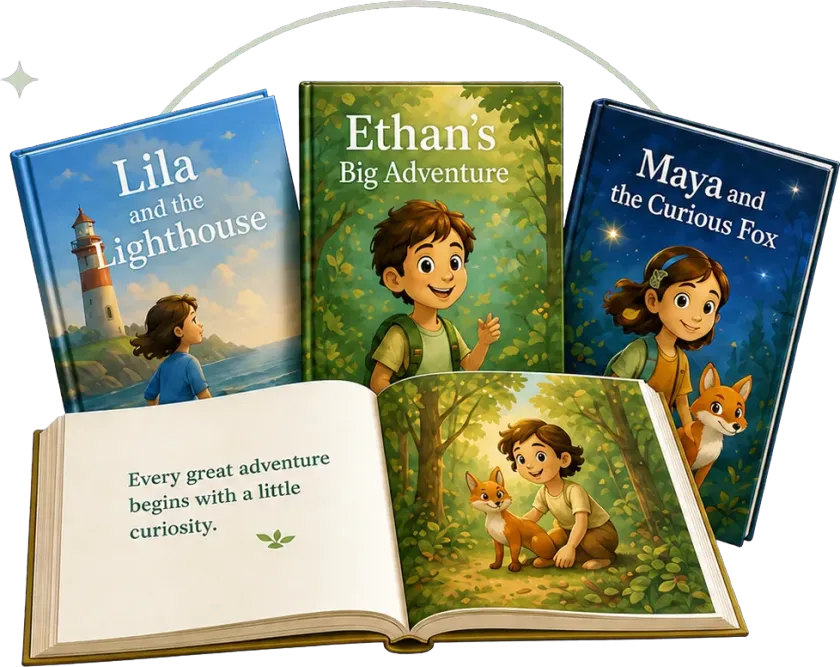
One idea becomes a painted book: every page one full picture, the dialogue lettered into the art, the same cast from the cover to the last page — and a next episode when you want one.

Part 1

Write the story

One line — the hero, the problem, the surprise — and Pudding writes the whole story for you to reshape.

Runtime 0:43 Narration: English

Read the steps
  1. Type your idea Graphic novels have their own tab. Say who the hero is, what goes wrong and the surprise — or paste a story you already wrote.
  2. Genre and age Pick a genre and the reader’s age, then press send. Writing the story uses credits.
  3. Pudding writes Pudding writes the whole story first. It takes about a minute.
  4. Reshape it by asking Here is your story. Want a change? Tell Pudding in the box below and it rewrites for you — this text is what the book will be built from.
Part 2

Style, cover and director

Pick how the book is painted, see a cover proposal first, then the director turns the story into pages.

Runtime 0:44 Narration: English

Read the steps
  1. Choose the style Choose how the book is painted. Browse the styles, pick one and press Use this style — it sets every page.
  2. See the cover first Next comes a cover proposal, so you see the look before the book is made. Not quite right? Try another proposal. Like it? Start directing.
  3. The director plans the book Now the director turns your story into pages and plans the cast, the places and the props. It uses credits, and it usually takes eight to fifteen minutes.

Part 3

Paint the book

The cast is drawn first, then every page — one painted picture per page, with the words lettered into the art.

Runtime 1:02 Narration: English

Read the steps
  1. Every page is planned The book opens in the editor with all twenty pages planned. Each page lists the pictures it still needs — here, Pippa, the village fountain and the bubbles.
  2. Draw the whole book Press Generate all, then Draw the rest of the book. The cast, places and props are drawn first, then every page.
  3. Pages fill in Each page is painted as one full picture, with the words lettered into the art. You can watch the pages fill in.
  4. Your cast canvas Your cast, places and props live on this canvas. Open any card to redraw it, and the same look carries through every page.
  5. Change a page Want a page different? Select an area of the picture and say what should change, or regenerate the whole page. Only that page is repainted.

Part 4

Keep it going

Start the next episode with the same style and cast, and export the finished book as a PDF.

Runtime 0:25 Narration: English

Read the steps
  1. Add the next episode A graphic novel can keep going. Add the next episode: the art style stays the same, you say what happens, and your cast is already picked.
  2. Your graphic novel is ready And your graphic novel is ready — page through it here, and export it as a PDF.

Real product recordings

See every click and setting inside ReadKidz.

Short step-by-step lessons

Clear, focused videos that get you from start to finish.

Learn one workflow at a time

Master a skill, then build your next story with confidence.

Questions about making a graphic novel

How is a graphic novel different from a comic here?

A comic here is built panel by panel. A graphic novel is made like a book: each page is painted as a single picture — panels and lettering included — with a cover, and it can grow into a series of episodes.

Can I use a story I already wrote?

Yes. Paste it into the Graphic Novel tab instead of a one-line idea. You still get to reshape it with Pudding before anything is drawn.

What does it cost?

Writing the story, the cover proposal and the director each use credits, and the cast and every page are charged as they are drawn.

How long does it take?

The story takes about a minute and the director usually eight to fifteen minutes. Then the cast and the pages are drawn — a long book takes a while, so keep the editor open while it draws.

Can I change a page after it is drawn?

Yes. Select an area of the picture and say what should change, or regenerate the whole page. Only that page is repainted.

Can I make a second episode?

Yes. Add the next episode from the book’s card or the editor: the art style stays the same and your characters are picked for you. You just say what happens next.

Start with one idea.

The hero, the problem, the surprise — one line is enough.

Every page one painted pictureThe words lettered into the artThe same cast in every episode

← All tutorials